[카테고리:] 생활코딩

  • opencv 시작하기

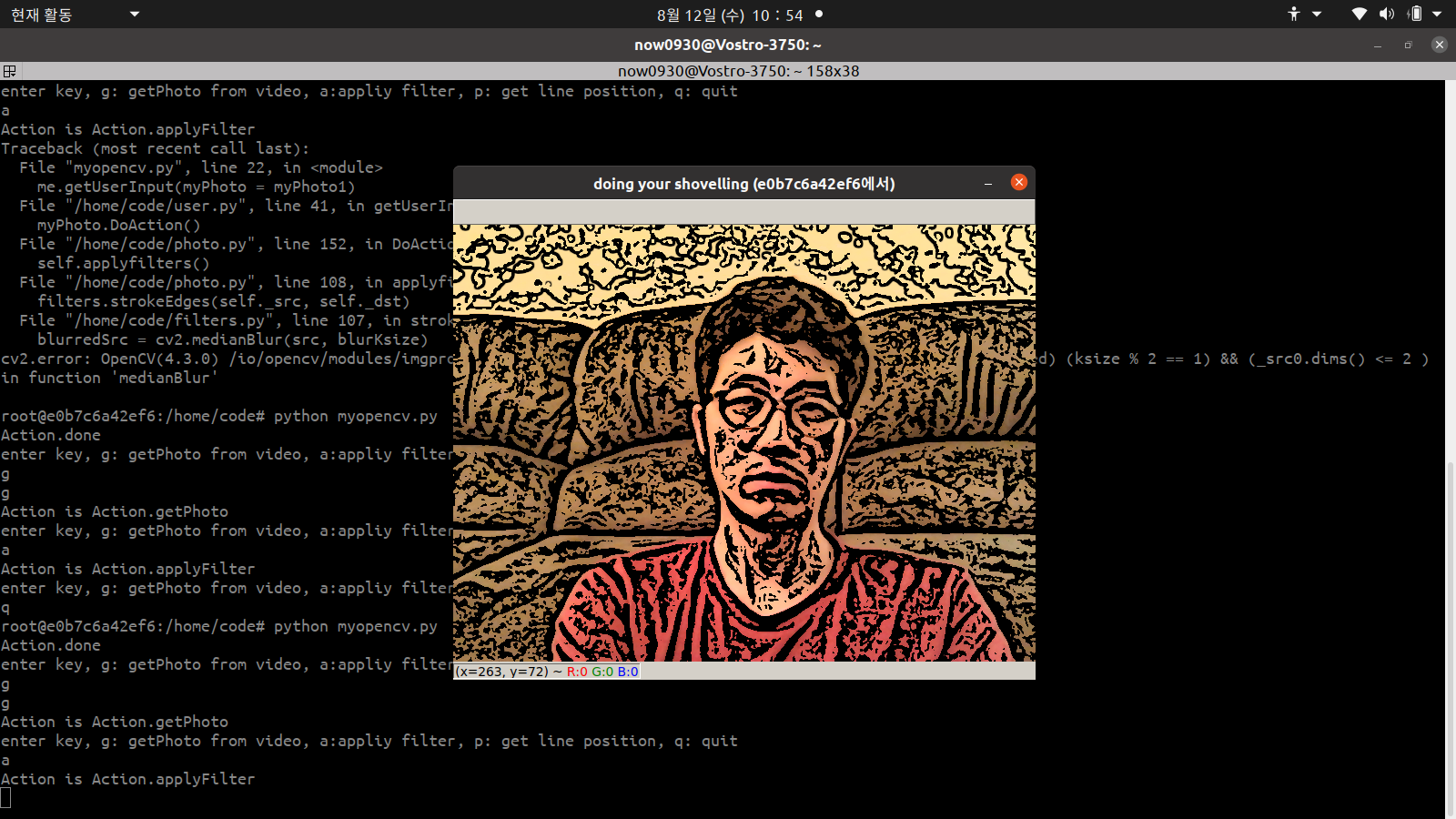
    유명한 opencv를 시작했다. docker python 이미지를 찾아 쉽게 시작했다. python 3.7, opencv4를 설치한 이미지다.

    docker pull jjanzic/docker-python3-opencv

    몇 번 시행착오를 거쳤으나 여러 사이트를 참조하여 결과만 남긴다. 먼저 docker 내용을 host에 넘기기 위해 xhost +를 실행했다. 그 뒤 sudo 명령어로 docker를 실행했다. 여기에 좋은 내용이 있다. docker run 옵션은 다음과 같다.

    sudo docker run --device=/dev/video0:/dev/video0 -v /tmp/.X11-unix:/tmp/.X11-unix -e DISPLAY=$DISPLAY -p 5000:5000 -p 8888:8888 -it -v /home/now0930/codeForPython3/opencv:/home/code  --env QT_X11_NO_MITSHM=1 jjanzic/docker-python3-opencv_modified /bin/bash

    중간에 –env QT_X11_NO_MITSHM=1 를 넣어 시작하지 않으면 다음 에러가 난다.

    cv2.error: OpenCV(4.1.1) /opencv-4.1.1/modules/highgui/src/window.cpp:627: error: (-2:Unspecified error) The function is not implemented. Rebuild the library with Windows, GTK+ 2.x or Cocoa support. If you are on Ubuntu or Debian, install libgtk2.0-dev and pkg-config, then re-run cmake or configure script in function 'cvShowImage'

    시작 후 docker 내부에서 pip로 opencv-python 모듈을 설치한다. opencv-python를 설치하지 않으면 video를 사용하여 이미지를 저장할 수 없다.

    python -m pip install opencv-python

    root 권한으로 libget2.0-dev, pkg-config를 설치했는데 영향을 모르겠다. 일단 되니 고.

    apt reinstall libgtk2.0-dev pkg-config

    여기 코드를 그대로 사용하여 실행 됨을 확인한다.

    sudo로 docker를 실행하면 보안 문제가 있다고 한다. video를 사용할 수 있도록 host에 권한을 할당했다.

    sudo usermod -a -G video now0930

    다음을 실행하면, 윈도우가 무한대로 뜬다. cv2.imshow를 하나만 사용해야 된다. 여러 개를 사용하면 무엇이 문제인지 모르겠으나, 안된다. matplot으로 창을 띄워도 되나 너무 느리다. 찾아보면 해결 방법을 찾겠지만, 그냥 cv2.imshow로 가기로 했다.

    import cv2
    import numpy as np
    import matplotlib.pyplot as plt  
    cap = cv2.VideoCapture(0)
    
    #while(1):
    #videocapture로 들어오는 이미지를 matplot으로 실시간 표시
    #plt.ion()
    cap.set(cv2.CAP_PROP_FRAME_WIDTH, 640)
    cap.set(cv2.CAP_PROP_FRAME_HEIGHT, 480)
    
    while cap.isOpened():
    
        # Take each frame
        _, frame = cap.read()
        # Our operations on the frame come here
        #gray = cv2.cvtColor(frame, cv2.COLOR_BGR2GRAY)
    
    
        # Convert BGR to HSV
        hsv = cv2.cvtColor(frame, cv2.COLOR_BGR2HSV)
        #hsv = cv2.cvtColor(frame, cv2.COLOR_BGR2GRAY)
    
        # define range of blue color in HSV
        lower_blue = np.array([110,50,50])
        upper_blue = np.array([130,255,255])
    
        # Threshold the HSV image to get only blue colors
        mask = cv2.inRange(hsv, lower_blue, upper_blue)
    
        # Bitwise-AND mask and original image
        res = cv2.bitwise_and(frame,frame, mask= mask)
    
        #cv2.imshow("frame",frame)
        #cv2.imshow("mask",mask)
        cv2.imshow("res",res)
    
    
        #plt.subplot(2,2,1),plt.imshow(frame)
        #plt.subplot(2,2,2),plt.imshow(mask)
        #plt.subplot(2,2,3),plt.imshow(res)
        #plt.pause(0.001)
        #plt.show()
    
        if cv2.waitKey(10) & 0xFF == ord('q'):
            break
    cv2.destroyAllWindows()
    

  • 라즈베리 파이4 사용기

    라즈베리 파이4 사용기

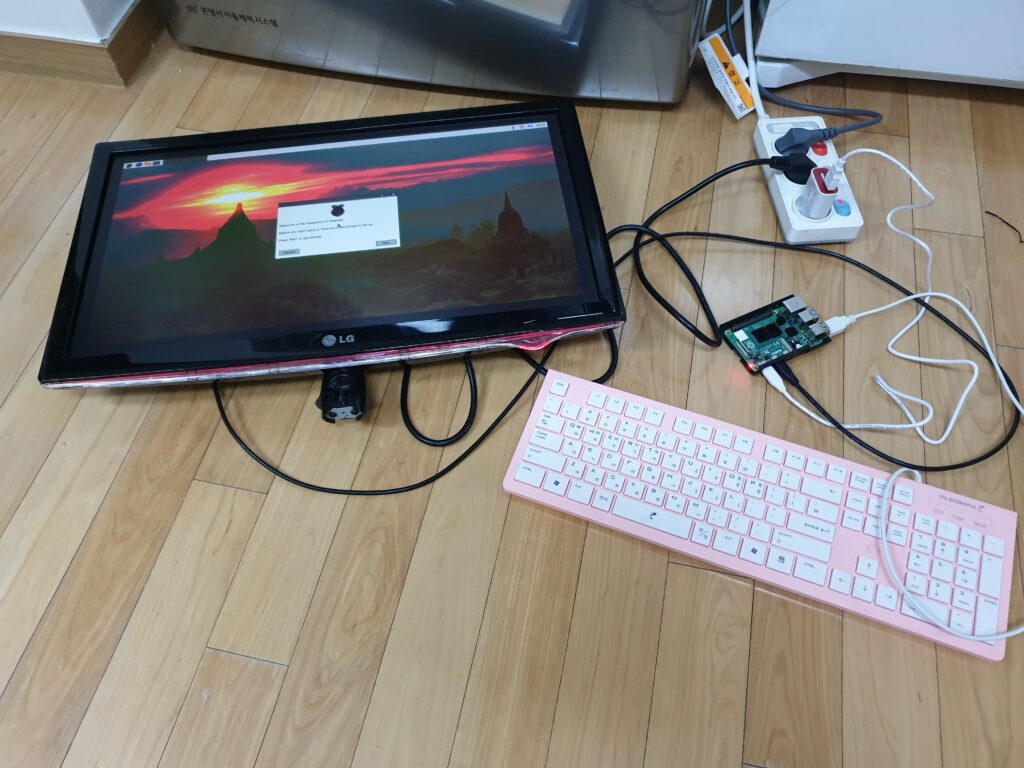
    회사에 있는 좋은 프로그램으로 라즈베리 파이4를 구했다. 나는 시간만 썼다. 11월 말까지 진행할 계획인데, 시간이 지날수록 그 프로그램 목적 달성하기 어려워 보인다. 나는 얻은 바 있어 거래에 만족한다. 나중에 보고서를 작성하면 된다.

    저가형 모터를 돌리려 라즈베리 파이를 사용함은 너무 비싸다. 단순 독립된 디바이스와 달리 IoT 디바이스로 라즈베리 만큼 좋은 장차가 없다. 아무리 싸게 만들어도 같은 기능을 가진 하드웨어를 라즈베리 파이보다 싸게 만들 수 없어 보인다. 맞춤형 하드웨어를 설계하는 순간 수 백만원 깨질 듯 하다. 이런 좋은 사양 디바이스를 그냥 쓰기 아까워 docker를 설치하여 mysql, ptyhon 기능을 추가했다.

    특히 요즘 뜨는 python이 데이터를 최적화하여 처리한다. 배우기도 쉽다. 모듈도 다양하여 남이 작성하여 공개한 인터넷 코드를 보면 금방 적용할 수 있다. python을 사용하지 않고 gnu c로 같은 기능을 만든다면 손해가 엄청나다.

    mysql 역시 데이터를 잘 처리한다. 파일에 데이터를 저장하나 조회하기 어렵고 python과 연계가 어렵다. mysql이 기본 라즈베리에 파이 OS에 설치되지 않아, docker로 금방 설치했다.

    PLC가 주는 데이터를 socket으로 받았고, 메인 프로세스가 인터넷에서 받은 데이터와 비교하여 모터를 특정 각도로 움직이기로 했다. 중간에 IPC를 적용하여 억지로 넣은 코드도 좀 있다.

    다음 그림과 같이 구성했다.

    gnu c에서 python을 사용하려면 fork로 child process를 만들고 exec로 대체해야 한다. 잘못 사용하면 while(1){fork();} 이런 식으로 전개되는 수가 있다. 이 코드를 실행하는 순간 ssh가 먹통되고 아무 작업을 할 수 없다.

  • fork bomb

    fork로 주기적으로 exec를 하는 방법을 알아보고 있었다. 잘못하여 이렇게 썼다.

    while(1){
        fork();
    }

    이런 **ㄹ!#ㄲㄴㅇㄹㅉㅆㄲ$!!!! 게다가 sudo로 실행했다. ssh, ping 등 명령어에 응답하지 않는다. 하드웨어에 접근할 수 없었는데, 다행히 crontab에 등록한 재부팅 명령어는 동작했다.

  • posix shared memory, p325~p335

    fork로 나온 parent, child와 다르게 완전 다른 프로세스간 shared memory로 데이터를 공유할 수 있다.

    pi@raspberrypi:~/Project/cCode/IPC/shared_memory $ cat make_memory.c 
    #include <stdlib.h>
    #include <stdio.h>
    #include <errno.h>
    #include <sys/stat.h>
    #include <fcntl.h>
    #include <semaphore.h>
    #include <sys/stat.h>
    #include <unistd.h>
    #include <sys/mman.h>
    #define FILE_MODE 0666
    
    int
    main(int argc, char **argv)
    {
    	int		c, fd, flags;
    	char	*ptr;
    	off_t	length;
    
    	flags = O_RDWR | O_CREAT;
    	while ( (c = getopt(argc, argv, "e")) != -1) {
    		switch (c) {
    		case 'e':
    			flags |= O_EXCL;
    			break;
    		}
    	}
    	if (optind != argc - 2)
    		perror("usage: shmcreate [ -e ] <name> <length>");
    	length = atoi(argv[optind + 1]);
    
    	fd = shm_open(argv[optind], flags, FILE_MODE);
    	ftruncate(fd, length);
    
    	ptr = mmap(NULL, length, PROT_READ | PROT_WRITE, MAP_SHARED, fd, 0);
    
    	exit(0);
    }
    pi@raspberrypi:~/Project/cCode/IPC/shared_memory $ cat unlink.c 
    
    #include <stdlib.h>
    #include <stdio.h>
    #include <errno.h>
    #include <sys/stat.h>
    #include <fcntl.h>
    #include <semaphore.h>
    #include <sys/stat.h>
    #include <unistd.h>
    #include <sys/mman.h>
    #define FILE_MODE 0666


    int
    main(int argc, char **argv)
    {
    	if (argc != 2)
    		perror("usage: shmunlink <name>");
    
    	shm_unlink(argv[1]);
    
    	exit(0);
    }
    pi@raspberrypi:~/Project/cCode/IPC/shared_memory $ cat write.c 
    #include <stdlib.h>
    #include <stdio.h>
    #include <errno.h>
    #include <sys/stat.h>
    #include <fcntl.h>
    #include <semaphore.h>
    #include <sys/stat.h>
    #include <unistd.h>
    #include <sys/mman.h>
    #define FILE_MODE 0666
    
    int
    main(int argc, char **argv)
    {
    	int		i, fd;
    	struct stat	stat;
    	unsigned char	*ptr;
    
    	if (argc != 2)
    		perror("usage: shmwrite <name>");
    
    		/* 4open, get size, map */
    	fd = shm_open(argv[1], O_RDWR, FILE_MODE);
    	fstat(fd, &stat);
    	ptr = mmap(NULL, stat.st_size, PROT_READ | PROT_WRITE,
    			   MAP_SHARED, fd, 0);
    	close(fd);
    
    		/* 4set: ptr[0] = 0, ptr[1] = 1, etc. */
    	for (i = 0; i < stat.st_size; i++)
    		*ptr++ = i % 256;
    
    	exit(0);
    }
    pi@raspberrypi:~/Project/cCode/IPC/shared_memory $ cat read.c 
    #include <stdlib.h>
    #include <stdio.h>
    #include <errno.h>
    #include <sys/stat.h>
    #include <fcntl.h>
    #include <semaphore.h>
    #include <sys/stat.h>
    #include <unistd.h>
    #include <sys/mman.h>
    #define FILE_MODE 0400
    
    int
    main(int argc, char **argv)
    {
    	int		i, fd;
    	struct stat	stat;
    	unsigned char	c, *ptr;
    
    	if (argc != 2)
    		perror("usage: shmread <name>");
    
    		/* 4open, get size, map */
    	fd = shm_open(argv[1], O_RDONLY, FILE_MODE);
    	fstat(fd, &stat);
    	ptr = mmap(NULL, stat.st_size, PROT_READ,
    			   MAP_SHARED, fd, 0);
    	close(fd);
    
    		/* 4check that ptr[0] = 0, ptr[1] = 1, etc. */
    	for (i = 0; i < stat.st_size; i++)
    		if ( (c = *ptr++) == (i % 256))
    			printf("ptr[%d] = %d\n", i, c);
    
    	exit(0);
    }

    이를 실행하면 다음과 같다. 512 길이 메모리를 할당하고, 250~259번지를 보면 다시 0으로 돌아간다. od로 확인하면 255에서 0으로 갔음을 본다. 파일 사용하는 방법과 비슷하다.

    pi@raspberrypi:~/Project/cCode/IPC/shared_memory $ ./makemeory test 512
    pi@raspberrypi:~/Project/cCode/IPC/shared_memory $ ./write test
    pi@raspberrypi:~/Project/cCode/IPC/shared_memory $ od -A d -t u1 -t x2 /dev/shm/test 
    0000000   0   1   2   3   4   5   6   7   8   9  10  11  12  13  14  15
               0100    0302    0504    0706    0908    0b0a    0d0c    0f0e
    0000016  16  17  18  19  20  21  22  23  24  25  26  27  28  29  30  31
               1110    1312    1514    1716    1918    1b1a    1d1c    1f1e
    0000032  32  33  34  35  36  37  38  39  40  41  42  43  44  45  46  47
               2120    2322    2524    2726    2928    2b2a    2d2c    2f2e
    0000048  48  49  50  51  52  53  54  55  56  57  58  59  60  61  62  63
               3130    3332    3534    3736    3938    3b3a    3d3c    3f3e
    0000064  64  65  66  67  68  69  70  71  72  73  74  75  76  77  78  79
               4140    4342    4544    4746    4948    4b4a    4d4c    4f4e
    0000080  80  81  82  83  84  85  86  87  88  89  90  91  92  93  94  95
               5150    5352    5554    5756    5958    5b5a    5d5c    5f5e
    0000096  96  97  98  99 100 101 102 103 104 105 106 107 108 109 110 111
               6160    6362    6564    6766    6968    6b6a    6d6c    6f6e
    0000112 112 113 114 115 116 117 118 119 120 121 122 123 124 125 126 127
               7170    7372    7574    7776    7978    7b7a    7d7c    7f7e
    0000128 128 129 130 131 132 133 134 135 136 137 138 139 140 141 142 143
               8180    8382    8584    8786    8988    8b8a    8d8c    8f8e
    0000144 144 145 146 147 148 149 150 151 152 153 154 155 156 157 158 159
               9190    9392    9594    9796    9998    9b9a    9d9c    9f9e
    0000160 160 161 162 163 164 165 166 167 168 169 170 171 172 173 174 175
               a1a0    a3a2    a5a4    a7a6    a9a8    abaa    adac    afae
    0000176 176 177 178 179 180 181 182 183 184 185 186 187 188 189 190 191
               b1b0    b3b2    b5b4    b7b6    b9b8    bbba    bdbc    bfbe
    0000192 192 193 194 195 196 197 198 199 200 201 202 203 204 205 206 207
               c1c0    c3c2    c5c4    c7c6    c9c8    cbca    cdcc    cfce
    0000208 208 209 210 211 212 213 214 215 216 217 218 219 220 221 222 223
               d1d0    d3d2    d5d4    d7d6    d9d8    dbda    dddc    dfde
    0000224 224 225 226 227 228 229 230 231 232 233 234 235 236 237 238 239
               e1e0    e3e2    e5e4    e7e6    e9e8    ebea    edec    efee
    0000240 240 241 242 243 244 245 246 247 248 249 250 251 252 253 254 255
               f1f0    f3f2    f5f4    f7f6    f9f8    fbfa    fdfc    fffe
    0000256   0   1   2   3   4   5   6   7   8   9  10  11  12  13  14  15
               0100    0302    0504    0706    0908    0b0a    0d0c    0f0e
    0000272  16  17  18  19  20  21  22  23  24  25  26  27  28  29  30  31
               1110    1312    1514    1716    1918    1b1a    1d1c    1f1e
    0000288  32  33  34  35  36  37  38  39  40  41  42  43  44  45  46  47
               2120    2322    2524    2726    2928    2b2a    2d2c    2f2e
    0000304  48  49  50  51  52  53  54  55  56  57  58  59  60  61  62  63
               3130    3332    3534    3736    3938    3b3a    3d3c    3f3e
    0000320  64  65  66  67  68  69  70  71  72  73  74  75  76  77  78  79
               4140    4342    4544    4746    4948    4b4a    4d4c    4f4e
    0000336  80  81  82  83  84  85  86  87  88  89  90  91  92  93  94  95
               5150    5352    5554    5756    5958    5b5a    5d5c    5f5e
    0000352  96  97  98  99 100 101 102 103 104 105 106 107 108 109 110 111
               6160    6362    6564    6766    6968    6b6a    6d6c    6f6e
    0000368 112 113 114 115 116 117 118 119 120 121 122 123 124 125 126 127
               7170    7372    7574    7776    7978    7b7a    7d7c    7f7e
    0000384 128 129 130 131 132 133 134 135 136 137 138 139 140 141 142 143
               8180    8382    8584    8786    8988    8b8a    8d8c    8f8e
    0000400 144 145 146 147 148 149 150 151 152 153 154 155 156 157 158 159
               9190    9392    9594    9796    9998    9b9a    9d9c    9f9e
    0000416 160 161 162 163 164 165 166 167 168 169 170 171 172 173 174 175
               a1a0    a3a2    a5a4    a7a6    a9a8    abaa    adac    afae
    0000432 176 177 178 179 180 181 182 183 184 185 186 187 188 189 190 191
               b1b0    b3b2    b5b4    b7b6    b9b8    bbba    bdbc    bfbe
    0000448 192 193 194 195 196 197 198 199 200 201 202 203 204 205 206 207
               c1c0    c3c2    c5c4    c7c6    c9c8    cbca    cdcc    cfce
    0000464 208 209 210 211 212 213 214 215 216 217 218 219 220 221 222 223
               d1d0    d3d2    d5d4    d7d6    d9d8    dbda    dddc    dfde
    0000480 224 225 226 227 228 229 230 231 232 233 234 235 236 237 238 239
               e1e0    e3e2    e5e4    e7e6    e9e8    ebea    edec    efee
    0000496 240 241 242 243 244 245 246 247 248 249 250 251 252 253 254 255
               f1f0    f3f2    f5f4    f7f6    f9f8    fbfa    fdfc    fffe
    0000512
    pi@raspberrypi:~/Project/cCode/IPC/shared_memory $ ./read test | grep -e "ptr\[25[0-9]\]"
    ptr[250] = 250
    ptr[251] = 251
    ptr[252] = 252
    ptr[253] = 253
    ptr[254] = 254
    ptr[255] = 255
    ptr[256] = 0
    ptr[257] = 1
    ptr[258] = 2
    ptr[259] = 3
  • shared memory introduction, p303 ~ p315

    semaphore로 process간 데이터를 주고 받을 줄 알았는데, 아니었다. semaphore로 동기하고 process간 데이터 전달은 메모리 공유로 한다.

    #include <stdlib.h>
    #include <stdio.h>
    #include <errno.h>
    #include <sys/stat.h>
    #include <fcntl.h>
    #include <semaphore.h>
    #include <sys/stat.h>
    #include <unistd.h>
    #include <sys/mman.h>
    #define	SEM_NAME	"mysem"
    #define FILE_MODE 0666
    struct shared{
    	sem_t mutex;
    	int count;
    } shared;
    
    int
    main(int argc, char **argv)
    {
    	int		fd, i, nloop, zero = 0;
    	//int		*ptr;
    	//sem_t	*mutex;
    	struct shared *ptr;
    
    	if (argc != 3)
    		perror("usage: incr2 <pathname> <#loops>");
    	nloop = atoi(argv[2]);
    
    		/* 4open file, initialize to 0, map into memory */
    	fd = open(argv[1], O_RDWR | O_CREAT, FILE_MODE);
    	write(fd, &shared, sizeof(struct shared));
    	ptr = mmap(NULL, sizeof(struct shared), PROT_READ | PROT_WRITE, MAP_SHARED, fd, 0);
    	close(fd);
    
    		/* 4create, initialize, and unlink semaphore */
    	//mutex = sem_open(SEM_NAME, O_CREAT | O_EXCL, FILE_MODE, 1);
    	sem_init(&ptr->mutex,1,1);
    
    
    	sem_unlink(SEM_NAME);
    
    	setbuf(stdout, NULL);	/* stdout is unbuffered */
    	if (fork() == 0) {		/* child */
    		for (i = 0; i < nloop; i++) {
    			sem_wait(&ptr->mutex);
    			printf("child: %d\n", (ptr->count)++);
    			sem_post(&ptr->mutex);
    		}
    		exit(0);
    	}
    
    		/* 4parent */
    	for (i = 0; i < nloop; i++) {
    		sem_wait(&ptr->mutex);
    		printf("parent: %d\n", ptr->count++);
    		sem_post(&ptr->mutex);
    	}
    	exit(0);
    }
    
    pi@raspberrypi:~/Project/cCode/IPC $ ./a.out tt 100
    parent: 0
    parent: 1
    parent: 2
    parent: 3
    parent: 4
    parent: 5
    child: 6
    child: 7
    child: 8
    child: 9
    child: 10
    child: 11
    child: 12
    child: 13
    child: 14
    child: 15
    child: 16
    child: 17
    child: 18
    child: 19
    child: 20
    child: 21
    child: 22
    child: 23
    child: 24
    child: 25
    child: 26
    child: 27
    child: 28
    child: 29
    child: 30
    child: 31
    child: 32
    child: 33
    child: 34
    child: 35
    child: 36
    child: 37
    child: 38
    child: 39
    child: 40
    child: 41
    child: 42
    child: 43
    child: 44
    child: 45
    child: 46
    child: 47
    child: 48
    child: 49
    child: 50
    child: 51
    child: 52
    child: 53
    child: 54
    child: 55
    child: 56
    child: 57
    child: 58
    child: 59
    child: 60
    child: 61
    child: 62
    child: 63
    child: 64
    child: 65
    child: 66
    child: 67
    child: 68
    child: 69
    child: 70
    child: 71
    child: 72
    child: 73
    child: 74
    child: 75
    child: 76
    child: 77
    child: 78
    child: 79
    child: 80
    child: 81
    child: 82
    child: 83
    child: 84
    child: 85
    child: 86
    child: 87
    child: 88
    child: 89
    child: 90
    child: 91
    child: 92
    child: 93
    child: 94
    child: 95
    child: 96
    child: 97
    child: 98
    child: 99
    child: 100
    child: 101
    child: 102
    child: 103
    child: 104
    child: 105
    parent: 106
    parent: 107
    parent: 108
    parent: 109
    parent: 110
    parent: 111
    parent: 112
    parent: 113
    parent: 114
    parent: 115
    parent: 116
    parent: 117
    parent: 118
    parent: 119
    parent: 120
    parent: 121
    parent: 122
    parent: 123
    parent: 124
    parent: 125
    parent: 126
    parent: 127
    parent: 128
    parent: 129
    parent: 130
    parent: 131
    parent: 132
    parent: 133
    parent: 134
    parent: 135
    parent: 136
    parent: 137
    parent: 138
    parent: 139
    parent: 140
    parent: 141
    parent: 142
    parent: 143
    parent: 144
    parent: 145
    parent: 146
    parent: 147
    parent: 148
    parent: 149
    parent: 150
    parent: 151
    parent: 152
    parent: 153
    parent: 154
    parent: 155
    parent: 156
    parent: 157
    parent: 158
    parent: 159
    parent: 160
    parent: 161
    parent: 162
    parent: 163
    parent: 164
    parent: 165
    parent: 166
    parent: 167
    parent: 168
    parent: 169
    parent: 170
    parent: 171
    parent: 172
    parent: 173
    parent: 174
    parent: 175
    parent: 176
    parent: 177
    parent: 178
    parent: 179
    parent: 180
    parent: 181
    parent: 182
    parent: 183
    parent: 184
    parent: 185
    parent: 186
    parent: 187
    parent: 188
    parent: 189
    parent: 190
    parent: 191
    parent: 192
    parent: 193
    parent: 194
    parent: 195
    parent: 196
    parent: 197
    parent: 198
    parent: 199
    
    
    pi@raspberrypi:~/Project/cCode/IPC $ od -A d -t d tt
    0000000           2         128           0           0
    0000016         200
    000002