[카테고리:] 생활코딩

  • 프로그래머스 스킬테스트

    두 문제를 30분안에 풀어야 된다. 찾아보고 하면 한 시간 정도 적당해 보인다. 코드를 다 외우고 있어야 하나? 주어진 string과 숫자 n으로 n번째 기준으로 정렬하는 문제다.

    
    import java.util.TreeMap;
    import java.util.Iterator;
    import java.util.Set;
    
    public class Main {
    public static void main(String[] args){
    	
    	String[] strings = new String[3];
    	strings[0]="sun";
    	strings[1]="bed";
    	strings[2]="car";
    
    	
    	String[] target = new String[strings.length];
    	TreeMap <Integer, String> temp = new TreeMap<>();
    	target = strings;
    	int key;
    	int n=2;
    	
    	for (int i=0; i<strings.length; i++) {
    		key = target[i].charAt(n)-'0';
    		System.out.println(key);
    		temp.put(key,target[i]);
    	}
    
    	Iterator itr = temp.keySet().iterator();
    //	System.out.println(strings.length);
    	while(itr.hasNext())
    		System.out.println(temp.get(itr.next()));
    }
    
    }
  • 프로그래머스 전화번호 목록

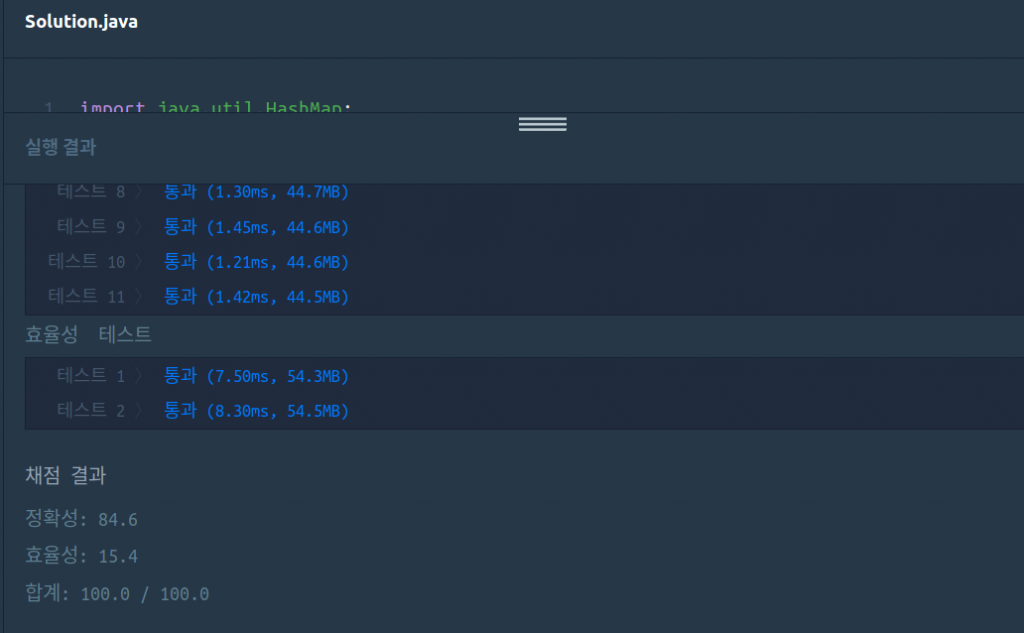
    프로그래머스 전화번호 목록

    hashmap으로 접근하니 좀 빨리 풀린다.

    
    import java.util.HashMap;
    import java.util.Iterator;
    import java.util.Set;
    
    public class Main {
    	public static void main(String[] args) {
    		String[] participant = new String[3];
    
    		participant[0] = "123";
    		participant[1] = "456";
    		participant[2] = "789";
    
    		String remains = new String();
    		HashMap<Integer, String> temp = new HashMap<>();
    
    		for (int i = 0; i < participant.length; i++) {
    			temp.put(i, participant[i]);
    		}
    		Set set = temp.keySet();
    		Iterator itr = set.iterator();
    		boolean answer = false;
    
    		// System.out.println(temp.values());
    		int key = 0;
    		while (itr.hasNext()) {
    			key = (int) itr.next();
    			// 비교할 문자열 추출.
    			for (int i = 0; i < temp.size(); i++) {
    				remains = temp.get(i);
    				if (i != key) {
    //					System.out.println(remains);
    //					System.out.println(i);
    
    //					System.out.println(temp.get(key));
    //					System.out.println(key);
    
    //					System.out.println(remains.startsWith(temp.get(key)));
    					if (remains.startsWith(temp.get(key)) == true) {
    						answer = false;
    						break;
    
    					}
    					else
    						answer = true;
    				}
    
    			} // for
    			
    			if (answer == false)
    				break;
    
    //			System.out.println(temp.get(key));
    //			System.out.println(key);
    		} // while
    		
    		System.out.println(answer);
    
    	}// void main
    
    } // Main

    level 2가 1보다 더 쉬워보인다.

    eclipse에서 컴파일후 웹 페이지에 복사했는데, 칸도 안맞도 다시 맞추려니 어렵다. eclipse 형식을 아예 웹 페이지 형식으로 해야 될 듯 하다.

  • 프로그래머스 완료하지 못한 선수

    import java.util.HashMap;
    import java.util.Iterator;
    import java.util.Set;
    
    public class Main {
    public static void main(String[] args){
    	String[] participant = new String[5];
    	String[] completion = new String[4];
    
    	participant[0] = "marina";
    	participant[1] = "josipa";
    	participant[2] = "nikola";
    	participant[3] = "vinko";
    	participant[4] = "filipa";
    
    	completion[0] = "josipa";
    	completion[1] = "filipa";
    	completion[2] = "marina";
    	completion[3] = "nikola";
    
        HashMap <Integer, String> temp = new HashMap<>();
        for (int i=0; i< participant.length; i++)
        {
           temp.put(i,participant[i]);
        }
        Set set = temp.keySet();
    
        Iterator itr = set.iterator();
        int[] removeTarget = new int[100];
        
        for (int i=0;i<100;i++)
        	removeTarget[i]=-1;
    
        while(itr.hasNext()) {
    	int key = (int)itr.next();
    
        for (int i=0; i< completion.length; i++) {
    //		System.out.println(temp.get(key));
    //		Syst/em.out.println(temp.values());
    
    		if(temp.get(key) == completion[i])
    			//temp.remove(key);
    			//지우는 대신 추가.
    			// 표시
    			removeTarget[i]=key;
    //			 System.out.println(temp.values());
        }
        }
        for(int i=0;i<100;i++) {
        	//System.out.println(removeTarget[i]);
        	if(removeTarget[i] >= 0)
    			temp.remove(removeTarget[i]);
        }
        HashMap.Entry<Integer, String> entry = temp.entrySet().iterator().next();
        System.out.println(temp.get(entry.getKey()));
    }
    }

    hashmap을 추가한 다음 비교하여 바로 지우고 싶었다. 그러나 ConcurrentModificationException이 중단시켰다. 여러 삽질 후 표기를 하여 나중에 한번에 지웠다. 이상한 점은 eclipse는 잘 되는데, 프로그래머스 컴파일은 잘 안된다. 나 말고도 여러 사람 그런 듯 하다.

    level 1인데 시간을 너무 많이 걸렸다.

  • cloudflare로 IP 업데이트

    전에 사용하던 ddclient가 제대로 동작하지 않았다. cloudflare가 API를 v4로 올렸는데, ddclient 3.8.3이 이를 제대로 지원하지 않았다. 인터넷을 찾아보면 ddclient 3.9.0은 제대로 지원한다고 한다. 그러나 내 환경에서 설치하기 힘들었다. source forge에 연결할 수 없어 직접 설치할 수 없다.

    찾다보니 나름 cloudflare에 꼭 맞는 스크립트를 찾았다.https://github.com/LINKIWI/cloudflare-ddns-client

    설치 방법을 readme에 기록했다. 그러나 pip를 사용하지 않아 잘 안된다. Makefile 내부를 내 환경에 맞춰 직접 입력했다.

    최상위 tk 도메인을 어제부터 연결할 수 없다. dot.tk에 접속하면 역시 안된다. 고민하다 가비아에서 개인 도메인 3년까지 쓸수 있도록 구입했다. 속도는 더 빠르다.

  • docker+tensorflow

    나는 구형 x1055 cpu를 사용하고 있다. 10년 넘어가고 있다. 다행히 6코어라 병렬처리 지원 프로그램은 빠르다. 요즘들어 병렬처리지원 프로그램을 많이 만드는 듯 하다. 아쉽게도 avx 등 명령세트를 지원하지 않는다. 구글이 컴파일한 whl버전을 설치하면 core dumped로 죽는다. 이를 해결하려면 내가 source build를 해야한다. source build하려면 우분투 16.04에 cuda, cudnn, bazel을 설치해야 한다. 얼마? 전 나온 ubuntu 18.04를 쓰고 싶은데, 컴파일할 수 없어 설치하기 꺼려진다. 게다가 conda, 가상화 등이 작업환경을 망치는 기분이다.

    이 중 docker를 알았다. host에 영향주지 않고, 안전하게 tensorflow를 쓸 수 있다. 시험으로 tensorflow 1.10 이미지에 내가 컴파일한 whl을 설치했다. 잘 된다. 이번에 밀어 버렸다.

    여기에 보면 아주 쉽게 build할 수 있다. 그러나 처음 시도한 이미지로 nvidia driver를 올릴 수 없었다. 다음으로 ubuntu 16.04에서 bazel, cuda, cudnn을 차근차근 설치했다. 이 이미지가 build를 못한다. Workspace 에러가 나를 막았다.

    이번에는 bazel 설치 이미지로 찾아 bazel test 했다. tensorflow cpu 컴파일도 Workspace 에러없었다. 컴파일 되는 이미지 dockerfile을 봤다. jdk8 버전에서 bazel을 설치했다.

    FROM openjdk:8
    # Bazel uses jdk8. Importing jdk8 image in advance, docker runs faster.
    # but there are some problem between openjdk8 and Bazel 0.5.3.
    
    MAINTAINER Tadashi KOJIMA <nsplat@gmail.com>
    
    # To install Bazel, see https://docs.bazel.build/versions/master/install-ubuntu.html#install-with-installer-ubuntu
    RUN apt-get update \
    	&& apt-get install -y pkg-config zip g++ zlib1g-dev unzip \
    	&& wget https://github.com/bazelbuild/bazel/releases/download/0.16.1/bazel-0.16.1-installer-linux-x86_64.sh \
    	&& chmod +x ./bazel-0.16.1-installer-linux-x86_64.sh \
    	&& ./bazel-0.16.1-installer-linux-x86_64.sh \
    
    # run bazel test
    	&& ls -l bin/ \
    	&& export PATH="$PATH:/root/bin" \
    	&& echo $PATH \
    	&& which bazel \
    	&& bazel \
    	&& echo "export PATH=\$PATH:/root/bin" >> /root/.bash_profile \
    	&& echo "exec /bin/bash" >> /root/.bash_profile \
    	&& . /root/.bash_profile
    
    # Set up workspace
    WORKDIR /home

    몇 줄 진행(한시간정도?)하다 컴파일 에러났다. 이번에는ubuntu 16.04에서 시작했다. cuda, cudnn, git 필요 모듈을 설치했다. 일단 컴파일은 에러없이 성공했다. 그러나 이 빌드 gpu 버전은 gpu를 동작시키지 않는다. 나중에 중요한 사실을 알았다. 구글이 source build 문서 아래에 검증된 tensorflow, bazel, cuda 버전을 기록했다. 내가 설치한 bazel 버전이 너무 높았다. 진작 알았으면 하루 벌었는데.

    https://www.tensorflow.org/install/source

    마지막으로 1.10-rc2-dev-gpu-py3 docker 이미지를 받아 해봤다. 너무나 쉽게 성공했다. docker 이미지가 한글을 지원하지 않아, 환경변수를 설정했다.

    python에서 한글 터미널 에러

    https://www.44bits.io/ko/post/setup_linux_locale_on_ubuntu_and_debian_container

    이거 한다고 주말을 다 날렸다. 컴파일하는데 약 3시간 걸렸다. 테스트 시간이 많아 확인하기 어려웠다.