[태그:] gazebo

  • docker 내부 gazebo를 원격으로 실행

    그래픽 드라이버가 있는 PC를 거실로 옮기고, TV에 연결해서 사용했다. 사용할 때는 좋은데, 원격으로 터미널로 접속하여 gazebo를 실행하기 어려웠다.

    172.30.1.71

    • 저사양 PC로 인터넷 겨우 됨.

    172.30.1.9

    • 내부 nvidia 그래픽 카드 설치로 무거운 PC
    • 소음 발열 심함.
    • docker로 172.17.0.1로 gazebo를 실행.

    목표는 172.30.1.71 pc로 ssh 터미널로 172.30.1.9에 접속한 뒤 docker로 실행중인 gazebo를 172.30.1.71 화면으로 띄우기다.

    172.30.1.9에서 sshd_config를 다음과 같이 설정한다.

    $cat /etc/ssh/sshd_config
    ...
    #AllowAgentForwarding yes
    #AllowTcpForwarding yes
    #GatewayPorts no
    X11Forwarding yes
    X11DisplayOffset 10
    X11UseLocalhost  yes
    ...

    X11UseLocalhost no로 설정하면 xauth add 명령어가 실행되지 않는다.

    172.30.1.71에서 ssh로 172.30.1.9로 접속한다.

    $ cat ~/.ssh/config 
    
    Host rygen3600
    	Hostname 172.30.1.9
    	ForwardX11 yes

    docker container를 다음 옵션으로 실행한다.

    nvidia-docker run -it -v /run/user/1000:/run/user/1000 -v /dev:/dev -v /tmp/.X11-unix:/tmp/.X11-unix:ro \
      -v /home/now0930/ros2/test:/home/ros2_test --name foxy\
      --privileged --ipc=host --shm-size=512m --net=host -e DISPLAY=$DISPLAY \
      -e XDG_RUNTIME_DIR=/run/user/1000 --runtime=nvidia \
      osrf/ros:foxy-desktop-custom

    docker container에 접속하여 gazebo를 실행하면

    x11 connection rejected because of wrong authentication.

    에러가 뜬다. docker 외부 계정의 ~/.Xauthority 파일을 docker container root에 복사하면 gazebo가 실행된다.

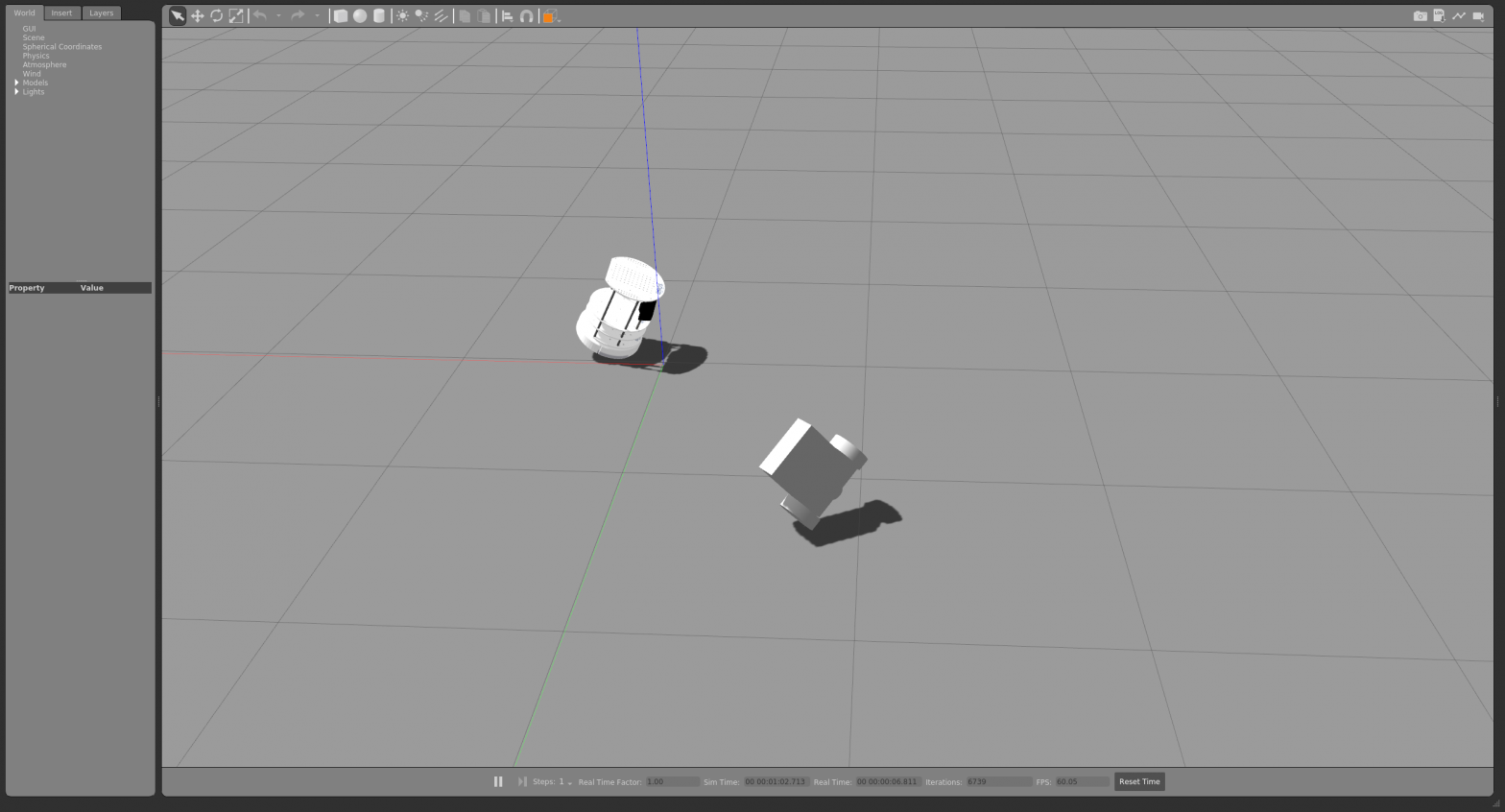
    빈 화면인데 22 프레임이 나온다.

  • gazebo plug in으로 robot move

    로봇을 불렀으면, cmd_vel 토픽으로 움직이고 싶다. 찾다보니 gazebo가 제공하는 plugin로 움직일 수 있음을 알았다. 플러그인 설정으로 어느 토픽을 읽어서 모델을 움직일지 결정한다.

    https://classic.gazebosim.org/tutorials?tut=ros_gzplugins

    gcamp_gazebo 샘플 프로그램을 참조 했다. gazebo로 로봇을 움직이려면 필요한 몇 개 파일을 만들어야 한다.

    now0930@amd2004:~/ros_test/workspace/src/wander_bot$ tree
    .
    ├── CMakeLists.txt
    ├── gazebo_world.launch
    ├── launch
    │   ├── hello.launch
    │   ├── my_world.launch
    │   └── robot_description.launch
    ├── log.txt
    ├── package.xml
    ├── src
    │   └── red_green_light.py
    ├── urdf
    │   ├── robot.gazebo
    │   ├── robot.xacro
    │   └── test.urdf
    └── worlds
        ├── my_world
        └── my_world2
    
    4 directories, 13 files

    roslaunch로 launch에 있는 my_world.launch에서 시작한다.

    oot@amd2004:/home/ros_test/workspace/src/wander_bot# cat launch/my_world.launch 
    <?xml version="1.0" encoding="UTF-8"?>
    
    <launch>
    	<!-- Robot pose -->
    	<arg name="x" default="0"/>
    	<arg name="y" default="0"/>
    	<arg name="z" default="0"/>
    	<arg name="roll" default="0"/>
    	<arg name="pitch" default="0"/>
    	<arg name="yaw" default="0"/>
    	<arg name="model_name"   default="agv_number1"/>


    			<!-- We resume the logic in empty_world.launch, changing only the name of the world to be launched -->
    		<include file="$(find gazebo_ros)/launch/empty_world.launch">
    			<arg name="world_name" value="$(find wander_bot)/worlds/my_world2"/>
    			<arg name="use_sim_time" value="true"/>
    				<!-- more default parameters can be changed here -->
    		</include>
    		<arg name="package_name"  default="wander_bot" />
    		<arg name="path"   value="(find $(arg package_name))" />
    		<arg name="dollar" value="$" />
    
    		<include file="$(arg dollar)$(arg path)/launch/robot_description.launch"/> 
    
    			<!-- Spawn My Robot -->
    			<!--
    				<node name="urdf_spawner" pkg="gazebo_ros" type="spawn_model" respawn="false" output="screen" 
    				args="-urdf -param robot_description -model $(arg model_name) 
    				-x $(arg x) -y $(arg y) -z $(arg z)
    				-R $(arg roll) -P $(arg pitch) -Y $(arg yaw)"/>
    			-->
    				<node name="urdf_spawner" pkg="gazebo_ros" type="spawn_model" respawn="false" output="screen" 
    					args="-urdf -param robot_description -model $(arg model_name) 
    					-x $(arg x) -y $(arg y) -z $(arg z)
    					-R $(arg roll) -P $(arg pitch) -Y $(arg yaw)"/>
    
    
    				<node name="test_node" pkg="wander_bot" type="red_green_light.py"
    					args="/cmd_vel">
    			</node>
    		</launch>
    
        <include file="$(arg dollar)$(arg path)/launch/robot_description.launch"/> 

    launch가 robot description을 실행하는데, command로 robot.xacro로 세부 설정을 한다. command가 아닌 다른 방식으로는 모델이 움직이지 않는다. robot description 내부에는 robot_description, joint_state_publisher, robot_state_publisher 3개를 설정한다.

    now0930@amd2004:~/ros_test/workspace/src/wander_bot$ cat launch/robot_description.launch 
    <?xml version="1.0"?>
    <launch>
    
    	<!-- send urdf to param server -->
    	<!-- xacro -->
    
    	<param name="robot_description" command="$(find xacro)/xacro --inorder '$(find wander_bot)/urdf/robot.xacro'" />
    
    		<!-- urdf or raw xml file -->
    		<!-- <param name="robot_description" command="cat $(find museumGuide)/urdf_model/peoplebot.xml" /> -->
    
    			<!-- Send fake joint values-->
    		<node name="joint_state_publisher" pkg="joint_state_publisher" type="joint_state_publisher">
    			<param name="use_gui" value="False"/>
    		</node>
    
    		<!-- Send robot states to tf -->
    		<node name="robot_state_publisher" pkg="robot_state_publisher" type="robot_state_publisher" respawn="false" output="screen"/>
    
    	</launch>
    

    robot.xacro를 보면

    now0930@amd2004:~/ros_test/workspace/src/wander_bot$ cat urdf/robot.xacro 
    <?xml version="1.0" ?>
    <robot name="mobile_robot" xmlns:xacro="http://www.ros.org/wiki/xacro">
    	<material name="blue">
    		<color rgba = "0 0 0.8 1"/>
    	</material>
    
    	<material name="gray">
    		<color rgba = "1 1 1 1"/>
    	</material>
    
    	<material name="blueviolet">
    		<color rgba = "0.54 0.16 0.88 1"/>
    	</material>
    
    	<link name = "base_footprint"/>
    
    	<xacro:include filename="$(find wander_bot)/urdf/robot.gazebo" />
    
    	<link name="base_link">
    		<visual>
    			<origin xyz="0 0 0" rpy = "0 0 0"/>
    			<geometry>
    				<box size = "0.3 0.24 0.1" rpy = "0 0 0" />
    			</geometry>
    			<material name = "gray"/>
    
    		</visual>
    		<collision>
    			<origin xyz="0 0 0.03" rpy = "0 0 0"/>
    			<geometry>
    				<box size = "0.3 0.25 0.1" />
    			</geometry>
    
    		</collision>
    		<inertial>
    			<mass value = "1.0" />
    			<inertia  ixx="1.0" ixy="0.0"  ixz="0.0"  iyy="1.0"  iyz="0.0"  izz="1.0" />
    		</inertial>
    
    	</link>
    
    
    	<joint name = "base_footprint_fixed" type = "fixed">
    		<origin xyz = "0 0 0.03" rpy = "0 0 0"/>
    		<parent link = "base_footprint"/>
    		<child link = "base_link"/>
    	</joint>
    
    
    	<link name = "left_wheel">
    		<visual>
    			<origin xyz = "0 0 0" rpy = "1.570796 0 0" />
    			<geometry>
    				<cylinder length = "0.05" radius = "0.08" />
    			</geometry>
    			<material name ="blue"/>
    
    		</visual>
    		<collision>
    			<origin xyz = "0 0 0" rpy = "1.570796 0 0" />
    			<geometry>
    				<cylinder length = "0.05" radius = "0.08" />
    			</geometry>
    
    		</collision>
    		<inertial>
    			<mass value = "1.0" />
    			<inertia  ixx="1.0" ixy="0.0"  ixz="0.0"  iyy="1.0"  iyz="0.0"  izz="1.0" />
    		</inertial>


    	</link>
    
    	<link name = "right_wheel">
    		<visual>
    			<origin xyz = "0 0 0" rpy = "1.570796 0 0" />
    			<geometry>
    				<cylinder length = "0.05" radius = "0.08" />
    			</geometry>
    			<material name ="blue"/>
    
    		</visual>
    		<collision>
    			<origin xyz = "0 0 0" rpy = "1.570796 0 0" />
    			<geometry>
    				<cylinder length = "0.05" radius = "0.08" />
    			</geometry>
    
    		</collision>
    
    		<inertial>
    			<mass value = "1.0" />
    			<inertia  ixx="1.0" ixy="0.0"  ixz="0.0"  iyy="1.0"  iyz="0.0"  izz="1.0" />
    		</inertial>
    
    	</link>
    
    
    	<joint name = "left_wheel_joint" type = "continuous">
    		<origin xyz = "0.1 0.15 0" rpy = "0 0 0"/>
    		<parent link = "base_link"/>
    		<child link = "left_wheel"/>
    		<axis xyz = "0 1 0"/>
    
    	</joint>
    
    	<joint name = "right_wheel_joint" type = "continuous">
    		<origin xyz = "0.1 -0.15 0" rpy = "0 0 0"/>
    		<parent link = "base_link"/>
    		<child link = "right_wheel"/>
    		<axis xyz = "0 1 0" />
    
    	</joint>
    
    	<link name="scanner_link">
    		<visual>
    			<origin xyz="0 0 0" rpy = "0 0 0"/>
    			<geometry>
    				<cylinder length="0.05" radius="0.035"/>
    			</geometry>
    			<material name = "blueviolet"/>
    
    		</visual>
    		<collision>
    			<origin xyz="0 0 0" rpy = "0 0 0"/>
    			<geometry>
    				<cylinder length="0.05" radius="0.035"/>
    			</geometry>
    
    		</collision>
    		<inertial>
    			<mass value = "1.0" />
    			<inertia  ixx="1.0" ixy="0.0"  ixz="0.0"  iyy="10.0"  iyz="0.0"  izz="1.0" />
    		</inertial>
    
    	</link>
    
    	<joint name = "head_scanner" type = "fixed">
    		<origin xyz = "0.15 0 0" rpy = "0 1.5708 0"/>
    		<parent link = "base_link"/>
    		<child link = "scanner_link"/>
    	</joint>
    
    
    	<ros>
    		<namespace>/</namespace>
    		<argument>/cmd_vel:=cmd_vel</argument>
    	</ros>
    
    </robot>
    

    여기에 gazebo 파일을 설정해야 한다.

    now0930@amd2004:~/ros_test/workspace/src/wander_bot/urdf$ cat robot.gazebo 
    <?xml version="1.0"?>
    <robot>
    	<gazebo>
    		<plugin name="differential_drive_controller" filename="libgazebo_ros_diff_drive.so">
    			<legacyMode>false</legacyMode>
    			<updateRate>10</updateRate>
    			<alwaysOn>true</alwaysOn>
    			<leftJoint>left_wheel_joint</leftJoint>
    			<rightJoint>right_wheel_joint</rightJoint>
    			<torque>10</torque>
    			<robotBaseFrame>base_footprint</robotBaseFrame>
    			<wheelSeparation>0.4</wheelSeparation>
    			<wheelDiameter>0.2</wheelDiameter>
    			<publishWheelTF>false</publishWheelTF>
    			<publishTf>1</publishTf>
    			<commandTopic>cmd_vel</commandTopic>
    			<odometryTopic>odom</odometryTopic>
    			<odometryFrame>odom</odometryFrame>
    			<publishWheelJointState>false</publishWheelJointState>
    			<rosDebugLevel>na</rosDebugLevel>
    			<wheelAcceleration>0</wheelAcceleration>
    			<wheelTorque>5</wheelTorque>
    			<odometrySource>world</odometrySource>
    			<publishOdomTF>true</publishOdomTF>
    
    		</plugin>
    	</gazebo>
    
    </robot>
    

    모두 설정하고 roslaunch를 하면, 관성 모멘트가 잘못 되었는지 이상하게 움직인다.

  • gazebo에서 spawn model

    gazebo에서 spawn model

    물리 엔진을 가지고 있는 gazebo로 로봇을 만들지 않고도 쉽게 테스트 해 볼 수 있다. 기본 설정 파일이 있는데, 사용자가 취향에 맞춰 자유롭게 환경 설정을 할 수도 있다. 빈 공간에 각종 모듈을 불러 내 공간에 넣고, gazebo tutorial을 따르면 로봇도 spawn 가능하다.

    Programming Robots With Ros 책 144p에 보면 간단한 python 파일을 만들고 gazebo에 로딩하는 내용이 있다.

    http://wiki.ros.org/simulator_gazebo/Tutorials/SpawningObjectInSimulation

    https://github.com/ros-simulation/gazebo_ros_pkgs/issues/864

    사용자가 만든 urdf 파일을 gazebo 가상 환경에 spawn 할 수 있다. 다만 inetia를 모두 입력해야(틀린 값이라도 입력해야) gazebo가 인식한다. spawn_model가 gazebo_ros 패키지에 포함되어 있다. inetia 값을 입력하지 않으면 로딩이 안된다. 중간에 나오는 spawn service failed는 무시해도 괜찮은 듯 하다. 어쨋든 굴러 가니까.

    [INFO] [1662392890.824294, 55.975000]: Spawn status: SpawnModel: Entity pushed to spawn queue, but spawn service timed out waiting for entity to appear in simulation under the name agv_number1
    [ERROR] [1662392890.827400, 55.975000]: Spawn service failed. Exiting.
    https://github.com/ros-simulation/gazebo_ros_pkgs/issues/864

    launch 파일이다.

    <?xml version="1.0" encoding="UTF-8"?>
    
    <launch>
    	<!-- Robot pose -->
    	<arg name="x" default="0"/>
    	<arg name="y" default="0"/>
    	<arg name="z" default="1"/>
    	<arg name="roll" default="3.14"/>
    	<arg name="pitch" default="2"/>
    	<arg name="yaw" default="0"/>
    	<arg name="model_name"   default="agv_number1"/>
    
    		<!--<param name="robot_description" command = "cat $(find wander_bot)/urdf/robot.urdf"/>-->
    
    			<!-- We resume the logic in empty_world.launch, changing only the name of the world to be launched -->
    		<include file="$(find gazebo_ros)/launch/empty_world.launch">
    			<arg name="world_name" value="$(find wander_bot)/worlds/my_world"/>
    			<arg name="use_sim_time" value="true"/>
    				<!-- more default parameters can be changed here -->
    		</include>
    
    		<param name="robot_description" textfile = "$(find wander_bot)/urdf/robot.urdf" /> 
    			<!-- Spawn My Robot -->
    			<!--
    				<node name="urdf_spawner" pkg="gazebo_ros" type="spawn_model" respawn="false" output="screen" 
    				args="-urdf -param robot_description -model $(arg model_name) 
    				-x $(arg x) -y $(arg y) -z $(arg z)
    				-R $(arg roll) -P $(arg pitch) -Y $(arg yaw)"/>
    			-->
    				<node name="urdf_spawner" pkg="gazebo_ros" type="spawn_model" respawn="false" output="screen" 
    					args="-urdf -param robot_description -model $(arg model_name) 
    					-x $(arg x) -y $(arg y) -z $(arg z)
    					-R $(arg roll) -P $(arg pitch) -Y $(arg yaw)"/>
    
    
    				<node name="test_node" pkg="wander_bot" type="red_green_light.py"
    					args="/cmd_vel">
    			</node>
    		</launch>

    urdf 파일이다.

    <?xml version="1.0" ?>
    <robot name="mobile_robot" xmlns:xacro="http://www.ros.org/wiki/xacro">
    	<material name="blue">
    		<color rgba = "0 0 0.8 1"/>
    	</material>
    
    	<material name="gray">
    		<color rgba = "1 1 1 1"/>
    	</material>
    
    	<material name="blueviolet">
    		<color rgba = "0.54 0.16 0.88 1"/>
    	</material>


    	<link name = "base_footprint"/>
    
    	<link name="base_link">
    		<visual>
    			<origin xyz="0 0 0" rpy = "0 0 0"/>
    			<geometry>
    				<box size = "0.3 0.24 0.1" rpy = "0 0 0" />
    			</geometry>
    			<material name = "gray"/>
    
    		</visual>
    		<collision>
    			<origin xyz="0 0 0.03" rpy = "0 0 0"/>
    			<geometry>
    				<box size = "0.3 0.25 0.1" />
    			</geometry>
    
    		</collision>
    		<inertial>
    			<mass value = "1.0" />
    			<inertia  ixx="1.0" ixy="0.0"  ixz="0.0"  iyy="100.0"  iyz="0.0"  izz="1.0" />
    		</inertial>
    
    	</link>
    
    
    	<joint name = "base_footprint_fixed" type = "fixed">
    		<origin xyz = "0 0 0.03" rpy = "0 0 0"/>
    		<parent link = "base_footprint"/>
    		<child link = "base_link"/>
    	</joint>
    
    
    	<link name = "left_wheel">
    		<visual>
    			<origin xyz = "0 0 0" rpy = "1.570796 0 0" />
    			<geometry>
    				<cylinder length = "0.05" radius = "0.08" />
    			</geometry>
    			<material name ="blue"/>
    
    		</visual>
    		<collision>
    			<origin xyz = "0 0 0" rpy = "1.570796 0 0" />
    			<geometry>
    				<cylinder length = "0.05" radius = "0.08" />
    			</geometry>
    
    		</collision>
    		<inertial>
    			<mass value = "1.0" />
    			<inertia  ixx="1.0" ixy="0.0"  ixz="0.0"  iyy="100.0"  iyz="0.0"  izz="1.0" />
    		</inertial>


    	</link>
    
    	<link name = "right_wheel">
    		<visual>
    			<origin xyz = "0 0 0" rpy = "1.570796 0 0" />
    			<geometry>
    				<cylinder length = "0.05" radius = "0.08" />
    			</geometry>
    			<material name ="blue"/>
    
    		</visual>
    		<collision>
    			<origin xyz = "0 0 0" rpy = "1.570796 0 0" />
    			<geometry>
    				<cylinder length = "0.05" radius = "0.08" />
    			</geometry>
    
    		</collision>
    
    		<inertial>
    			<mass value = "1.0" />
    			<inertia  ixx="1.0" ixy="0.0"  ixz="0.0"  iyy="100.0"  iyz="0.0"  izz="1.0" />
    		</inertial>
    
    	</link>
    
    
    	<joint name = "left_wheel_joint" type = "continuous">
    		<origin xyz = "0.1 0.15 0" rpy = "0 0 0"/>
    		<parent link = "base_link"/>
    		<child link = "left_wheel"/>
    		<axis xyz = "0 1 0"/>
    
    	</joint>
    
    	<joint name = "right_wheel_joint" type = "continuous">
    		<origin xyz = "0.1 -0.15 0" rpy = "0 0 0"/>
    		<parent link = "base_link"/>
    		<child link = "right_wheel"/>
    		<axis xyz = "0 1 0" />
    
    	</joint>
    
    	<link name="scanner_link">
    		<visual>
    			<origin xyz="0 0 0" rpy = "0 0 0"/>
    			<geometry>
    				<cylinder length="0.05" radius="0.035"/>
    			</geometry>
    			<material name = "blueviolet"/>
    
    		</visual>
    		<collision>
    			<origin xyz="0 0 0" rpy = "0 0 0"/>
    			<geometry>
    				<cylinder length="0.05" radius="0.035"/>
    			</geometry>
    
    		</collision>
    		<inertial>
    			<mass value = "1.0" />
    			<inertia  ixx="1.0" ixy="0.0"  ixz="0.0"  iyy="100.0"  iyz="0.0"  izz="1.0" />
    		</inertial>
    
    	</link>
    
    	<joint name = "head_scanner" type = "fixed">
    		<origin xyz = "0.15 0 0" rpy = "0 1.5708 0"/>
    		<parent link = "base_link"/>
    		<child link = "scanner_link"/>
    	</joint>
    
    </robot>

    직접 해보기도 좋지만, 남이 한 프로젝트를 보는게 더 빠르다.