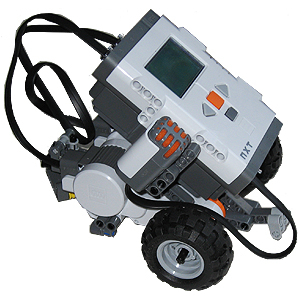
전에 우분투에 lejos가 깔린 lego nxt를 eclipse로 연결을 해서 파일 전송을 했었는데, 간만에 하니 시간이 좀 걸렸다. 이번에 정리한다..
먼저 ubuntu의 bluetooth 모듈을 상태를 알아야 된다..
>hcitool dev
Devices:
hci0 00:1A:7D:DA:71:02
다음에 hci0의 상태를 알아낸다.
>hciconfig hci0
hci0: Type: BR/EDR Bus: USB
BD Address: 00:1A:7D:DA:71:02 ACL MTU: 310:10 SCO MTU: 64:8
UP RUNNING PSCAN ISCAN
RX bytes:15110 acl:283 sco:0 events:1300 errors:0
TX bytes:41343 acl:1147 sco:0 commands:88 errors:0
나의 경우에는 bluetooth 동글이 usb로 연결되어 있다..
다음에 nxt의 블루투스 모듈의 주소를 알아낸다.
>hcitool scan
Scanning ...
00:16:53:12:7A:83 NXT
이를 바탕으로 /etc/bluetooth/rfcomm.conf 파일을 아래와 같이 수정한다.
>sudo cat /etc/bluetooth/rfcomm.conf
#
# RFCOMM configuration file.
#

rfcomm0 {
# Automatically bind the device at startup
bind no;

# Bluetooth address of the device
device 00:16:53:12:7A:83;

# RFCOMM channel for the connection
channel 1;

# Description of the connection
comment "LegoNXT";
}
다음에 아래의 명령어로 연결한다.
>sudo rfcomm connect /dev/rfcomm0 00:16:53:12:7A:83 1
Connected /dev/rfcomm0 to 00:16:53:12:7A:83 on channel 1
Press CTRL-C for hangup
CTRL-C로 연결을 끊어주고..eclipse로 연결하면 된다…
nxt로 연결이 되었는지, 아닌지는 아래 명령으로 확인이 가능하다.
>sudo l2ping 00:16:53:12:7A:83
Ping: 00:16:53:12:7A:83 from 00:1A:7D:DA:71:02 (data size 44) ...
4 bytes from 00:16:53:12:7A:83 id 0 time 26.82ms
4 bytes from 00:16:53:12:7A:83 id 1 time 64.92ms
4 bytes from 00:16:53:12:7A:83 id 2 time 24.87ms
4 bytes from 00:16:53:12:7A:83 id 3 time 73.89ms
4 bytes from 00:16:53:12:7A:83 id 4 time 34.89ms
4 bytes from 00:16:53:12:7A:83 id 5 time 25.89ms
4 bytes from 00:16:53:12:7A:83 id 6 time 76.82ms
eclipse로 아래와 같이 설정 후, 연결하면 된다.

eclipse에서 에러를 뿜어내는데 bluecove 어쩌고 나온다..
>sudo apt-get install libbluetooth-dev
이렇게 관련 프로그램을 설치하면 된다.
KDE의 경우, PIN 입력이 안되는데, bluez-simple-agent로 연결하면 된다.
bluez-simple-agent hci# xx:xx:xx:xx:xx:xx
출처는 인터넷…