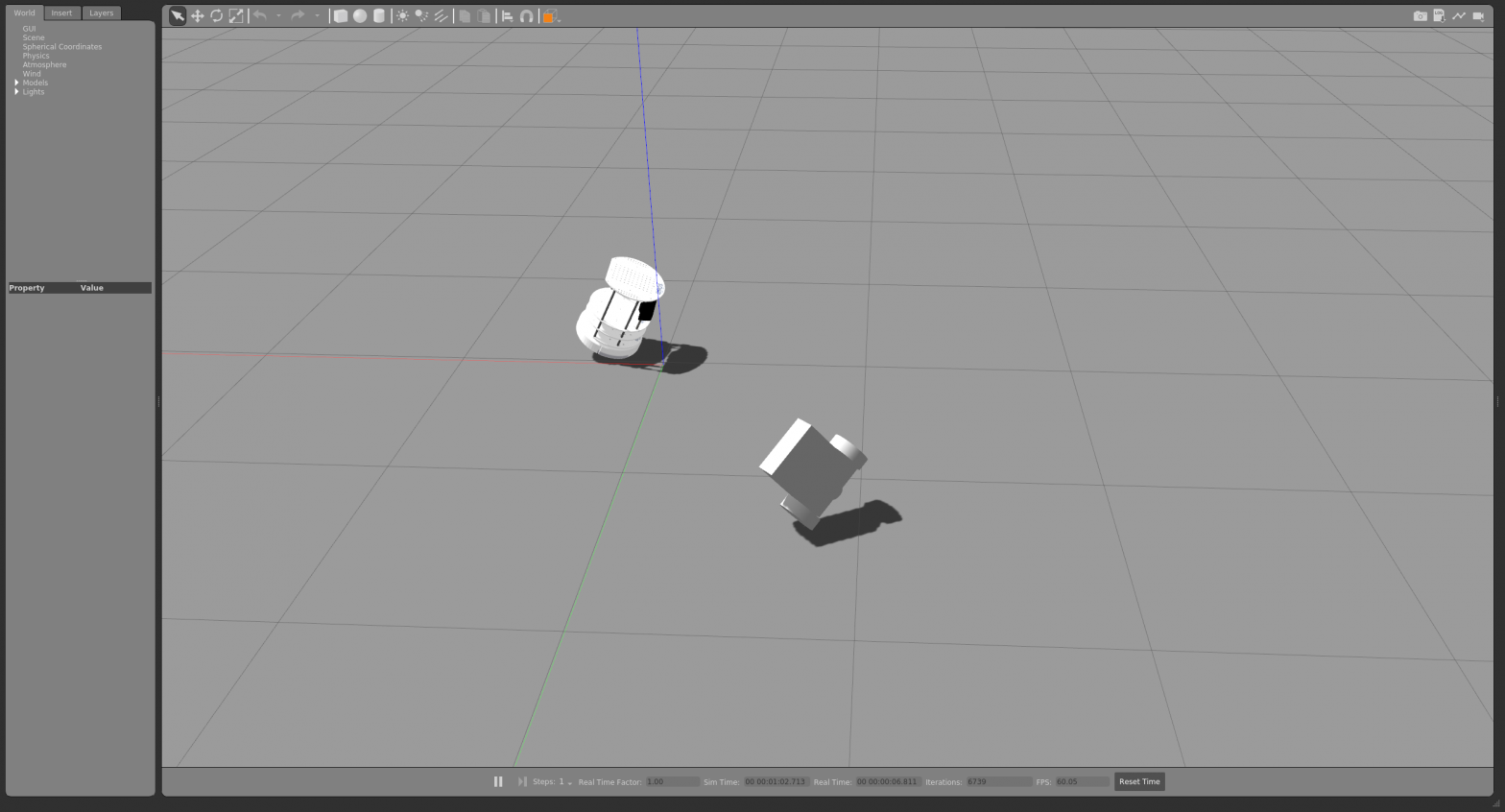
물리 엔진을 가지고 있는 gazebo로 로봇을 만들지 않고도 쉽게 테스트 해 볼 수 있다. 기본 설정 파일이 있는데, 사용자가 취향에 맞춰 자유롭게 환경 설정을 할 수도 있다. 빈 공간에 각종 모듈을 불러 내 공간에 넣고, gazebo tutorial을 따르면 로봇도 spawn 가능하다.
Programming Robots With Ros 책 144p에 보면 간단한 python 파일을 만들고 gazebo에 로딩하는 내용이 있다.
http://wiki.ros.org/simulator_gazebo/Tutorials/SpawningObjectInSimulation
사용자가 만든 urdf 파일을 gazebo 가상 환경에 spawn 할 수 있다. 다만 inetia를 모두 입력해야(틀린 값이라도 입력해야) gazebo가 인식한다. spawn_model가 gazebo_ros 패키지에 포함되어 있다. inetia 값을 입력하지 않으면 로딩이 안된다. 중간에 나오는 spawn service failed는 무시해도 괜찮은 듯 하다. 어쨋든 굴러 가니까.
[INFO] [1662392890.824294, 55.975000]: Spawn status: SpawnModel: Entity pushed to spawn queue, but spawn service timed out waiting for entity to appear in simulation under the name agv_number1
[ERROR] [1662392890.827400, 55.975000]: Spawn service failed. Exiting.
launch 파일이다.
<?xml version="1.0" encoding="UTF-8"?>

<launch>
	<!-- Robot pose -->
	<arg name="x" default="0"/>
	<arg name="y" default="0"/>
	<arg name="z" default="1"/>
	<arg name="roll" default="3.14"/>
	<arg name="pitch" default="2"/>
	<arg name="yaw" default="0"/>
	<arg name="model_name"   default="agv_number1"/>

		<!--<param name="robot_description" command = "cat $(find wander_bot)/urdf/robot.urdf"/>-->

			<!-- We resume the logic in empty_world.launch, changing only the name of the world to be launched -->
		<include file="$(find gazebo_ros)/launch/empty_world.launch">
			<arg name="world_name" value="$(find wander_bot)/worlds/my_world"/>
			<arg name="use_sim_time" value="true"/>
				<!-- more default parameters can be changed here -->
		</include>

		<param name="robot_description" textfile = "$(find wander_bot)/urdf/robot.urdf" />
			<!-- Spawn My Robot -->
			<!--
				<node name="urdf_spawner" pkg="gazebo_ros" type="spawn_model" respawn="false" output="screen"
				args="-urdf -param robot_description -model $(arg model_name)
				-x $(arg x) -y $(arg y) -z $(arg z)
				-R $(arg roll) -P $(arg pitch) -Y $(arg yaw)"/>
			-->
				<node name="urdf_spawner" pkg="gazebo_ros" type="spawn_model" respawn="false" output="screen"
					args="-urdf -param robot_description -model $(arg model_name)
					-x $(arg x) -y $(arg y) -z $(arg z)
					-R $(arg roll) -P $(arg pitch) -Y $(arg yaw)"/>


				<node name="test_node" pkg="wander_bot" type="red_green_light.py"
					args="/cmd_vel">
			</node>
		</launch>
urdf 파일이다.
<?xml version="1.0" ?>
<robot name="mobile_robot" xmlns:xacro="http://www.ros.org/wiki/xacro">
	<material name="blue">
		<color rgba = "0 0 0.8 1"/>
	</material>

	<material name="gray">
		<color rgba = "1 1 1 1"/>
	</material>

	<material name="blueviolet">
		<color rgba = "0.54 0.16 0.88 1"/>
	</material>


	<link name = "base_footprint"/>

	<link name="base_link">
		<visual>
			<origin xyz="0 0 0" rpy = "0 0 0"/>
			<geometry>
				<box size = "0.3 0.24 0.1" rpy = "0 0 0" />
			</geometry>
			<material name = "gray"/>

		</visual>
		<collision>
			<origin xyz="0 0 0.03" rpy = "0 0 0"/>
			<geometry>
				<box size = "0.3 0.25 0.1" />
			</geometry>

		</collision>
		<inertial>
			<mass value = "1.0" />
			<inertia  ixx="1.0" ixy="0.0"  ixz="0.0"  iyy="100.0"  iyz="0.0"  izz="1.0" />
		</inertial>

	</link>


	<joint name = "base_footprint_fixed" type = "fixed">
		<origin xyz = "0 0 0.03" rpy = "0 0 0"/>
		<parent link = "base_footprint"/>
		<child link = "base_link"/>
	</joint>


	<link name = "left_wheel">
		<visual>
			<origin xyz = "0 0 0" rpy = "1.570796 0 0" />
			<geometry>
				<cylinder length = "0.05" radius = "0.08" />
			</geometry>
			<material name ="blue"/>

		</visual>
		<collision>
			<origin xyz = "0 0 0" rpy = "1.570796 0 0" />
			<geometry>
				<cylinder length = "0.05" radius = "0.08" />
			</geometry>

		</collision>
		<inertial>
			<mass value = "1.0" />
			<inertia  ixx="1.0" ixy="0.0"  ixz="0.0"  iyy="100.0"  iyz="0.0"  izz="1.0" />
		</inertial>


	</link>

	<link name = "right_wheel">
		<visual>
			<origin xyz = "0 0 0" rpy = "1.570796 0 0" />
			<geometry>
				<cylinder length = "0.05" radius = "0.08" />
			</geometry>
			<material name ="blue"/>

		</visual>
		<collision>
			<origin xyz = "0 0 0" rpy = "1.570796 0 0" />
			<geometry>
				<cylinder length = "0.05" radius = "0.08" />
			</geometry>

		</collision>

		<inertial>
			<mass value = "1.0" />
			<inertia  ixx="1.0" ixy="0.0"  ixz="0.0"  iyy="100.0"  iyz="0.0"  izz="1.0" />
		</inertial>

	</link>


	<joint name = "left_wheel_joint" type = "continuous">
		<origin xyz = "0.1 0.15 0" rpy = "0 0 0"/>
		<parent link = "base_link"/>
		<child link = "left_wheel"/>
		<axis xyz = "0 1 0"/>

	</joint>

	<joint name = "right_wheel_joint" type = "continuous">
		<origin xyz = "0.1 -0.15 0" rpy = "0 0 0"/>
		<parent link = "base_link"/>
		<child link = "right_wheel"/>
		<axis xyz = "0 1 0" />

	</joint>

	<link name="scanner_link">
		<visual>
			<origin xyz="0 0 0" rpy = "0 0 0"/>
			<geometry>
				<cylinder length="0.05" radius="0.035"/>
			</geometry>
			<material name = "blueviolet"/>

		</visual>
		<collision>
			<origin xyz="0 0 0" rpy = "0 0 0"/>
			<geometry>
				<cylinder length="0.05" radius="0.035"/>
			</geometry>

		</collision>
		<inertial>
			<mass value = "1.0" />
			<inertia  ixx="1.0" ixy="0.0"  ixz="0.0"  iyy="100.0"  iyz="0.0"  izz="1.0" />
		</inertial>

	</link>

	<joint name = "head_scanner" type = "fixed">
		<origin xyz = "0.15 0 0" rpy = "0 1.5708 0"/>
		<parent link = "base_link"/>
		<child link = "scanner_link"/>
	</joint>

</robot>
직접 해보기도 좋지만, 남이 한 프로젝트를 보는게 더 빠르다.